Diagnostic Software BD 1 Computer • Diagnostic Software 10000 Taka • Offline • One-time Purchased • Monthly Charge নেই WhatsApp Demo
Pharmacy Management Software 5000 Taka • Prescription Software 5000 Taka • Diagnostic Software 10000 Taka • Hospital Software 20000 Taka • Offline • One-time Purchased • Monthly Charge নেই • Live Demo Available
One Computer Diagnostic Setup

One Computer Diagnostic Software

One computer diagnostic software package for small diagnostic center and clinic lab. Diagnostic package-এর current messaging: 1 computer, offline, one-time 10,000 Taka, monthly charge নেই.

1 PCUPSBackupOffline
এই পেজের নির্দিষ্ট ফিচার

One Computer Diagnostic Setup — বাস্তব workflow

One computer diagnostic software package for small diagnostic center and clinic lab.

1. One Computer Diagnostic Software — Single workstation

Registration, billing, report ও print একই PC-তে small-volume workflow হিসেবে চালানো যায়।

2. One Computer Diagnostic Software — Compact installation

Separate server দরকার না হলেও reliable PC, SSD, UPS ও printer গুরুত্বপূর্ণ।

3. One Computer Diagnostic Software — Local printer preset

Bill/report paper size একই PC-তে configure ও test করা সহজ।

4. One Computer Diagnostic Software — Daily external backup

এক PC fail হলে service বন্ধ হতে পারে—external backup বাধ্যতামূলক routine হওয়া উচিত।

5. One Computer Diagnostic Software — Future LAN planning

Volume বাড়লে database/architecture অনুযায়ী later LAN expansion plan করা যায়।

6. One Computer Diagnostic Software — Project-specific requirement

Diagnostic package-এর current messaging: 1 computer, offline, one-time 10,000 Taka, monthly charge নেই.

কাজের ধাপ

এই module/page কীভাবে ব্যবহার হবে

One Computer Diagnostic Software: Reliable PC/UPS প্রস্তুত করুন

One Computer Diagnostic Software: Software/database install করুন

One Computer Diagnostic Software: Printer + sample flow test করুন

One Computer Diagnostic Software: Daily external backup শুরু করুন

কার জন্য উপযোগী

ছোট diagnostic center যেখানে billing/report একই workstation থেকে চালানো হয়.

বাস্তব Use Case

One Computer Diagnostic Software: One Computer Diagnostic Setup
One Computer Diagnostic Software: Daily workflow
One Computer Diagnostic Software: Management review

প্রধান সুবিধা

  • One Computer Diagnostic Software — Small center setup সহজ
  • One Computer Diagnostic Software — Server cost কম
  • One Computer Diagnostic Software — Training সহজ
  • One Computer Diagnostic Software — Future expansion plan থাকে

Demo-তে যা যাচাই করবেন

  • One Computer Diagnostic Software: নিজের sample data দিয়ে page-specific end-to-end workflow চালান
  • One Computer Diagnostic Software: relevant user role/room দিয়ে permission এবং manual-URL access test করুন
  • One Computer Diagnostic Software: print/search/history output-এর patient ID, total, header/signature বা stock data মিলিয়ে দেখুন
  • One Computer Diagnostic Software: related transaction/data save করার পরে database backup ও restore impact verify করুন
বাস্তব Project Configuration

One Computer Diagnostic Software — আগে নির্ধারিত workflow অনুযায়ী

এই module-এর setup, print, permission, billing/report এবং backup workflow-এর গুরুত্বপূর্ণ configuration pointগুলো এখানে একসাথে দেওয়া হয়েছে।

One Computer Diagnostic Software: Diagnostic package-এর current messaging: 1 computer, offline, one-time 10,000 Taka, monthly charge নেই.
One Computer Diagnostic Software: Local PC/LAN deployment internet না থাকলেও daily workflow চালাতে পারে; LAN scope আলাদা setup হতে পারে.
One Computer Diagnostic Software: নিজের sample patient/bill/report দিয়ে live demo করে included modules লিখিতভাবে verify করা উচিত.
One Computer Diagnostic Software: Backup, printer/paper size, staff role এবং future support terms deployment-এর আগে পরিষ্কার করতে হবে.
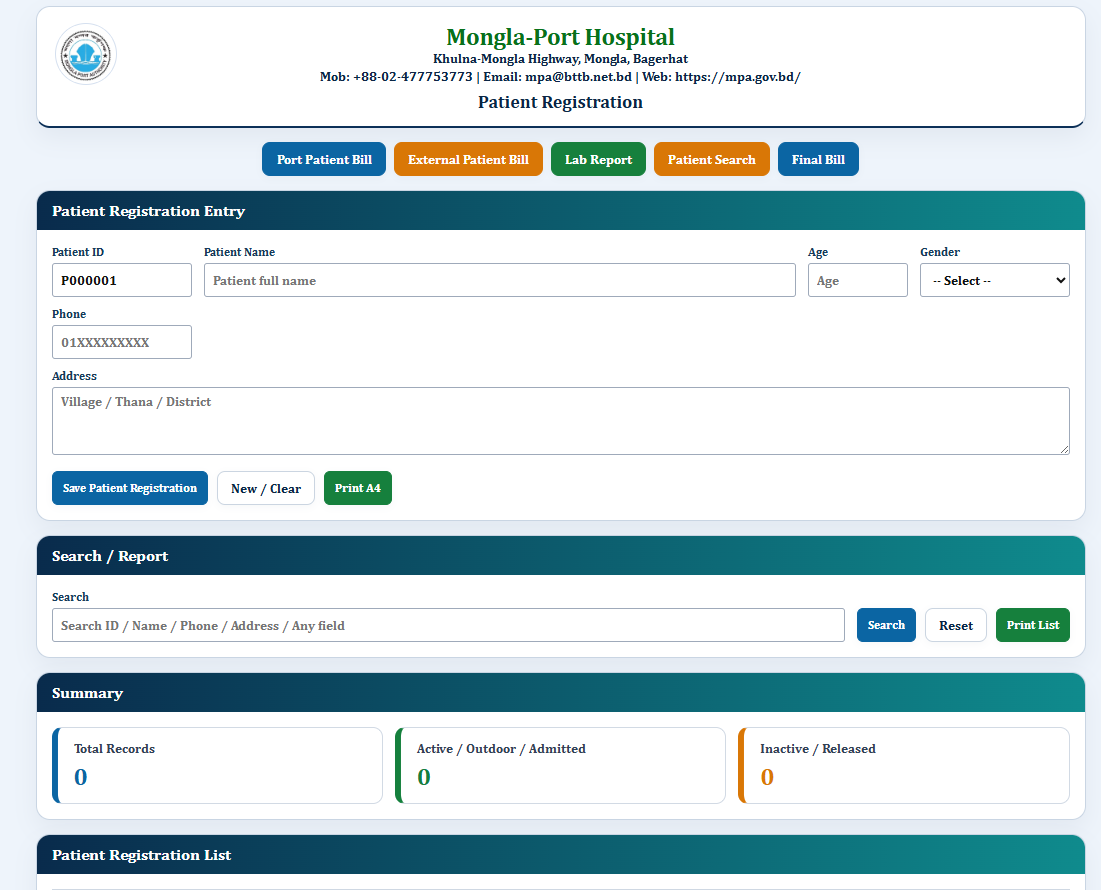
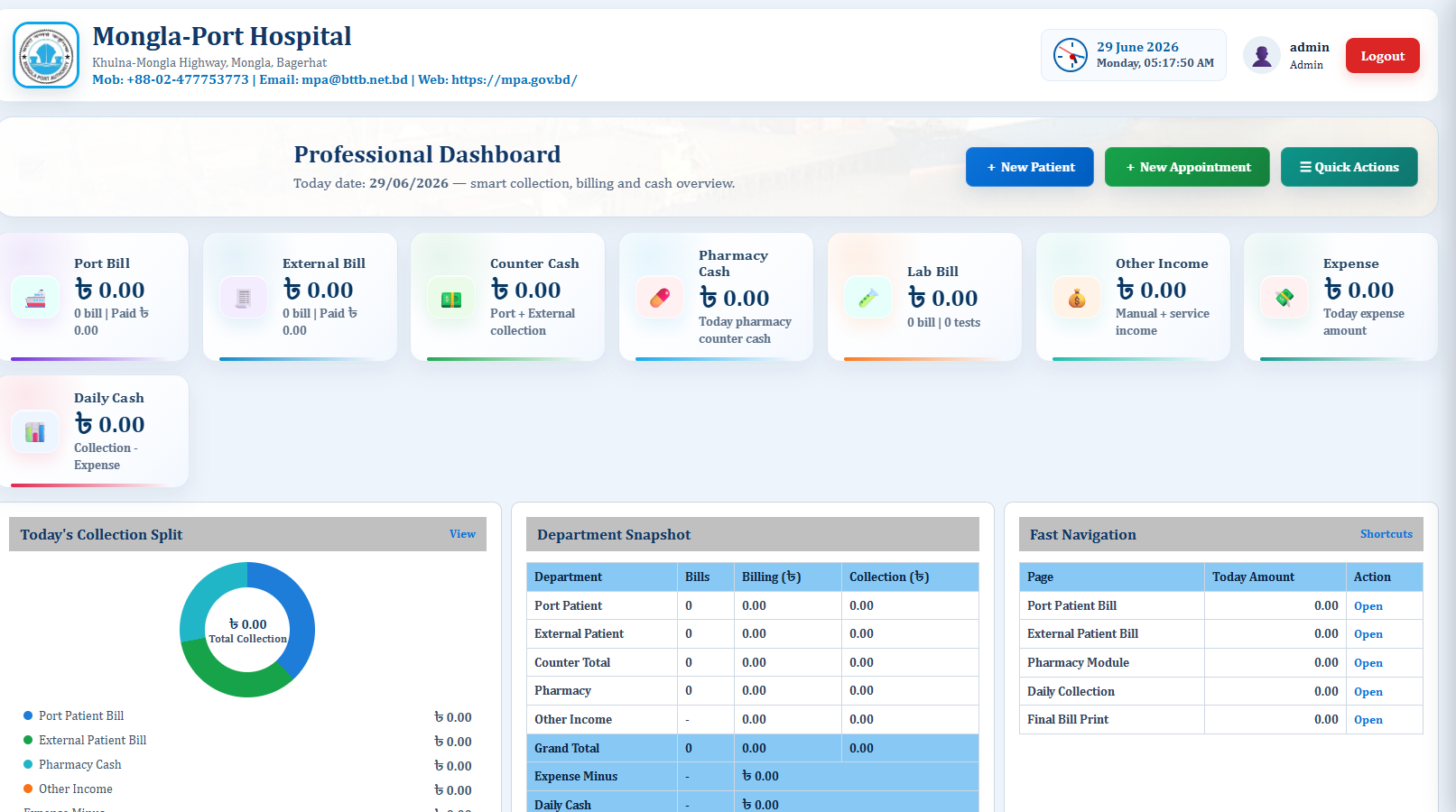
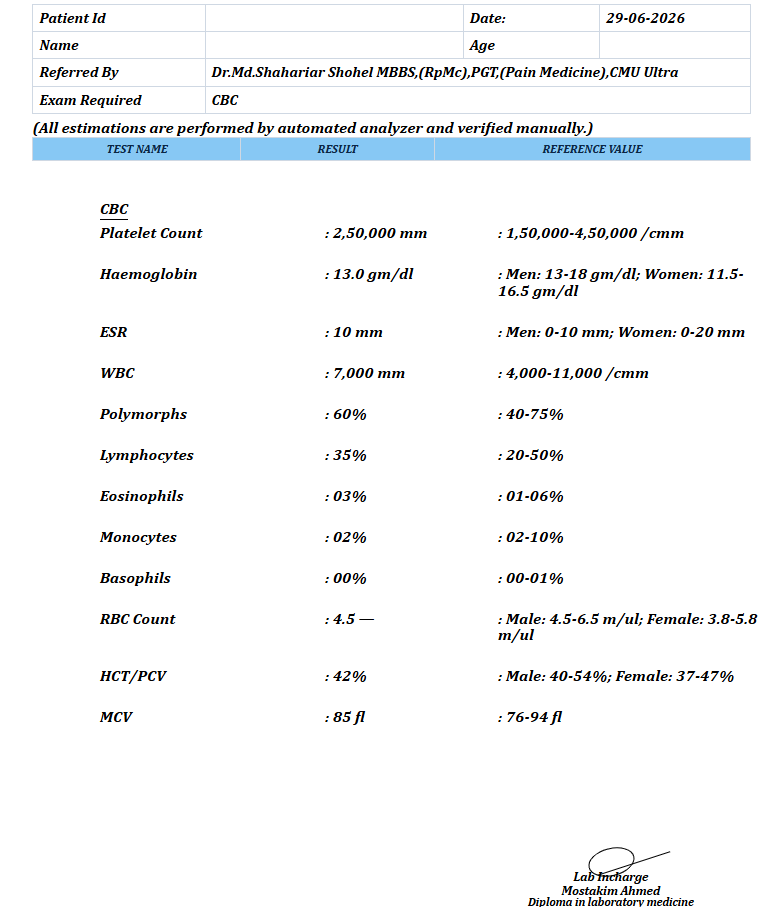
Software Preview

One Computer Diagnostic Software — relevant interface images

Available project screenshots থেকে এই page-এর workflow-এর সাথে relevant interface preview দেখানো হয়েছে।
প্রশ্ন ও উত্তর

One Computer Diagnostic Software FAQ

One Computer Diagnostic Software page-এ কী মূল workflow আছে?

Diagnostic package-এর current messaging: 1 computer, offline, one-time 10,000 Taka, monthly charge নেই.

One Computer Diagnostic Software setup-এর আগে কী verify করব?

Local PC/LAN deployment internet না থাকলেও daily workflow চালাতে পারে; LAN scope আলাদা setup হতে পারে.

One Computer Diagnostic Software live demo-তে কীভাবে test করব?

নিজের real/sample data দিয়ে page-specific workflow, permission, print/search এবং backup impact end-to-end চালিয়ে দেখুন.

নিজের data দিয়ে Live Demo দেখুন

এই page-এর feature আপনার প্রতিষ্ঠানে কীভাবে কাজ করবে—নিজের sample patient, bill, report বা workflow দিয়ে পরীক্ষা করে তারপর package নিন।

WhatsApp Demo
WhatsApp
01826027203